

AI Solutions
Your staff decide. AI agents do the legwork.
- Executives and boardsBoard-ready reports in minutes, not weeks.
- Administrative staffAsk why a case is on hold and what comes next.
- Call centerThe caller's record and an estimate on screen, and the notes drafted after.
- EmployersReport problems caught before anything posts, in plain language.
- Board pack
- Retirement case
- Call notes
- Employer report

Who it helps
An agent for every desk.
Executives and boards
Board-ready in minutes, not weeks.
Today: The board pack takes weeks of pulling data into spreadsheets, and one-off questions wait in the reporting queue.
- Ask for a board or trustee report in plain language. The system runs the numbers, and the agent writes them up and drafts the slides.
- Download any report as slides in your own template and branding, ready for your edits.
- Ask follow-up questions in plain language. The query runs in your system, you see it behind each answer, and the agent never invents a figure.
- Recurring reports run on the schedule you set, ready to review and export.
PensionID AdminAI Report BuilderAsk for any report in plain language

Hi, I'm your reporting assistant.Tell me the report you need. Your system will run the numbers and I'll write them up, ready to review and share.
Try asking- Generate the Contribution Summary for Q3 2026

Message to PensionID AI: Generate the Contribution Summary for Q3 2026
Send- Ask
- Review
- Download
- Present
Administrative staff
Help with any case, right where you work.
Today: Staff key in values from forms and certificates, and cases stall while someone works out what comes next.
- Ask why a case is on hold or what comes next, and get a plain answer from your plan rules and the case, with the section cited.
- Forms and certificates read for you, with each value confirmed by a person.
- Letters drafted from your approved templates for staff to edit and send.
- Staff make the decisions. Nothing on a case changes until a person with permission confirms it.
PensionID AdminRefund of contributionsCase RF-2026-0231 · Quarrenton Retirement System
On holdRefund checklist
- Application receivedSeptember 28, 2026
- Last day workedCity of Quarrenton, June 12, 2026
- Left every participating employerNot confirmed
- Refund amount$21,850.00 with credited interest
PensionID AIAnswers from your plan and this case
You: Why is this refund on hold?
PensionID AI: Quarrenton Parks District still reports the member as working. A refund needs the member to have left every participating employer, and the 90 days count from the last day worked at any of them.
Sources: Section 8.1You: The member is vested. Anything they should know first?
PensionID AI: Yes. A refund ends their membership and gives up the right to a pension. They can ask for a deferred pension estimate to compare first.
Sources: Section 8.4Draft a letter offering the estimateAsk about this case
Call center
Everything for the call, on one screen.
Today: Callers wait while staff search several screens.
- The caller's record, an estimate priced by the Calculation Engine and likely follow-up questions.
- Call notes and follow-up tasks drafted when the call ends.
- One click hands the case to a specialist, with the summary attached.
PensionID Admin · Member servicesMember services
On callMember #48213Keelridge Pension Plan · Identity verified
End callMember record- Status
- Active
- Age
- 59
- Credited service
- 27.4 years
- Beneficiary
- Spouse, on file
On the call- MemberI'm thinking of retiring at 62. What would I get each month?
- YouLet me pull that up for you now.
- MemberAnd would my wife still get something?
PensionID AIListening
Estimate at 62$2,418.60 a monthPriced by the Calculation EngineJoint and 50% survivor: $2,176.74 a month, then $1,088.37 to your spouseLikely next questions- What would my wife receive under each option?
- Can I take part as a lump sum?
Employers
Clean contribution reports, the first time.
Today: Employer errors surface after posting and get fixed by phone and email.
- Upload the payroll file you already produce, in any layout.
- Problems flagged before anything posts, each one explained in plain language.
- A fix suggested for each problem, for the fund office to accept or reject before anything posts.
- An assistant that answers from the employer's own reports and balances.
Employer Portal · Ridgeway MechanicalContribution report · September 2026
PensionID AIReadyXLSXridgeway_payroll_sep.xlsx142 linesChecked by your system against your agreement and member records
Before anything posts139 lines ready · 3 to look at before anything posts
- Line 37 · J. Ortiz212 hours in one week. Did you mean 21.2?
- Line 88 · T. NguyenNot in the plan yet. If this is a new hire, we'll enroll them.
- All linesRate $8.10 an hour. Your agreement says $8.35 from July 1.
Members
Choices explained, never made for them.
Today: Members phone the fund office to have their options explained.
- Members see each option on their application explained in plain language, with their own amounts.
- Survivor options show the member's amount and their survivor's.
- It explains and never tells a member which option to choose.
- Plan sections cited, and a person one step away.
Keelridge Participant PortalRetirement application
Step 3 of 5How should your pension be paid?
- Single life$2,880.00 a month
- 50% survivor$2,592.00 a month
- 100% survivor$2,361.60 a month
ContinuePensionID AI
Which one should I pick?
I can't choose for you, but here's what each one means.What each paysYouSpouse, after you
- Single life
- 50% survivor
- 100% survivor
- Single life: Most for you. Stops when you die.
- 50% survivor: Less for you. Your spouse gets half for life.
- 100% survivor: Least for you. Your spouse keeps it all.


With another administration system, the agent still runs on the PensionID platform, and what it can do there depends on the access and integration your vendor provides.
Automation
Ready before your day starts.
- Mail and documentsLetters, emails and uploads sorted and matched to the right member and case, with a person confirming each value before it's used.
- Contribution reconciliationReported, expected and paid matched for every employer report, with follow-ups drafted for the gaps.
- Data quality checksMissing beneficiaries, addresses and dates turned up by the system's checks and queued for staff before they hold up a case.
- Deadlines trackedNotices, filings, required distributions and service levels flagged before they're late.
- Member outreachMessages for members nearing retirement or missing a beneficiary, drafted for your approval.
- Audit requestsWhat your auditors ask for, pulled together from your reports and audit trail for staff to review.
Your options
Start with your staff. Open up when you're confident.
Inside the fund officeYour staff
Standard
AI chatbot for staffNo member data
- Finds plan rules and procedures for fund office and call center staff, with sources.
- Never connects to member or participant records.
Advanced
AI agents for staffStaff approve
- Prepare each step of a workflow, such as a retirement application, for staff to approve.
- You choose which workflows use an agent.
Outside the fund officeEmployers and members
Employers
AI for employersTheir own data
- Can't see any other employer's data.
- Never changes a report.
Members
AI for membersWebsite, then portal
- On your website, answers from your plan documents only.
- In the member portal, signed-in members get answers about their own record through read-only lookups.
- Social Security numbers, dates of birth and bank details are never sent to the AI model.
AI chatbots
Answers members can see.
- Built by pension administration experts.
- No made-up figures. The bot asks the Calculation Engine or says it can't.
- Hands off to a person, with the conversation summary attached.
- Safety rules no setting can switch off: sensitive topics get formal wording and the offer of a person.
The PensionID bot Resting
PensionID bot said I'm the PensionID bot, an AI assistant. On this website I answer only from sample plans. I can't see anyone's records, so please don't type personal details. No conversation text is kept after your session.
You said Will 848 hours earn a full credit this year?
PensionID bot said Not yet. A full pension credit takes 1,000 hours in a plan year, so 152 more hours earns one. You're at ¾ credit.
848 of 1,000 hours · ¾ credit
Progress: 848 of 1,000 hours, three quarters of a pension credit. 152 hours to a full credit.
Example only, not a personal estimate.
Suggestions:
- How does reciprocity work?
- How is final average salary worked out?
Can't see anyone's recordsPowered by PensionID
- 1Note on this example:Your toneFormal, plain or warm: the tone changes how the answer reads.
- 2Note on this example:Answers you can seeProgress bars, projections and charts where they help, not walls of text.
- 3Note on this example:A trail to the sourceEvery plan answer links to the section it came from.
Build-a-Bot Factory
Give your AI a character.
- Our pickFrostPlush, with Piddy's screen face
 PipPiddy, grown up
 NestorA golden nest egg
 LoopOur logo, alive
- CustomYour own character
Frost
Ice-white fur with Piddy's screen face, cyan eyes and antenna. It looks around now and then, works at a holographic keyboard, and puts its arms up when it's done.
How it shows its work
- ReadyLooks around, then back to you
 WorkingAntenna pulses as it works
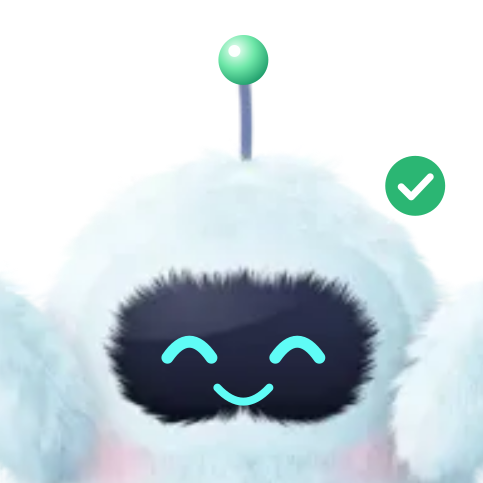 DoneHappy eyes, green tick
At full size
- Ready
 At the keyboard
How it talks
FrostMember chatPensionID bot said Hi, I'm Frost. Ask me anything about your plan.
You said How do I update my mailing address?
PensionID bot said You can change it yourself in the member portal, under Profile. Want me to show you the steps?
Spoken reply · American English
Pip
The same visor and cyan eyes as Piddy, rounder and softer, with a power button for a belly. People who know Piddy will know Pip.
How it shows its work
- ReadyEyes on you
 WorkingVisor scans, antenna pulses
 DoneHappy eyes, green tick
 Needs youHands it to a person
Dress-up
 Member calls
 Implementation
 Member education
How it talks
PipMember chatPensionID bot said Hi, I'm Pip. Ask me anything about your plan.
You said How do I update my mailing address?
PensionID bot said You can change it yourself in the member portal, under Profile. Want me to show you the steps?
Spoken reply · American English
Nestor
A golden nest egg, snug in its nest, with a sprout on top that sways while it works. It looks after what members have saved.
How it shows its work
- ReadySnug in the nest
 WorkingSprout sways, dots type
 DoneBeams, green tick
 Needs youHands it to a person
Dress-up
 Retirement day
 Checking the numbers
 Milestones
How it talks
NestorMember chatPensionID bot said Hi, I'm Nestor. Ask me anything about your plan.
You said How do I update my mailing address?
PensionID bot said You can change it yourself in the member portal, under Profile. Want me to show you the steps?
Spoken reply · American English
Loop
The dome is its head and the infinity loop is its eyes. Each agent gets its own colour, so a team can tell them apart at a glance.
How it shows its work
- ReadyEyes centred
 WorkingLight runs the loop
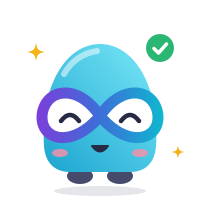 DoneSmiling eyes, green tick
 Needs youHands it to a person
One colour per agent
 Board pack
 Retirement case
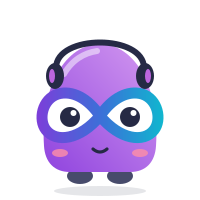 Call notes
 Employer report
How it talks
LoopMember chatPensionID bot said Hi, I'm Loop. Ask me anything about your plan.
You said How do I update my mailing address?
PensionID bot said You can change it yourself in the member portal, under Profile. Want me to show you the steps?
Spoken reply · American English
Your own character
We design a character in your brand, with your colours, logo and name, a greeting in your words and a look from your members' world. It shows its work and dresses up like the rest.
Book a demoAI Management
See what people ask.
AI ManagementMonitor AI usage, rules, and logs across portals
- Total Queries4,982↑ Up this month
- Average Response Time1.6s
- Handoffs to Staff86
- Unanswered23
Total Queries Over Time
Top Member QuestionsMember Portal
- Can I retire early at 60?Member chatbot214↑ trending
- Lump sum or monthly pension?Retirement Application163asks
- How do I change my beneficiary?Member chatbot128asks
- How many pension credits do I have?Pension Calculator97asks
- What does my spouse get after I die?Retirement Application71asks
AI ActiveLast updated: Just now
- Searchable conversationsBy keyword, topic, channel or rating, kept under the retention you set.
- Reviewed updatesUpload an amended plan document, see the answers it changes, and approve them before they go live.
- Suggested questionsOffered to members from a vetted bank you manage.
Hard lines
Things AI may never do at PensionID
- Process a step that no person with permission has approved.
- Decide eligibility, a benefit or a claim.
- Calculate a benefit or run inside straight-through processing. The Calculation Engine does the math, with no AI in it.
- State a figure the engine or your published values didn't supply.
- Ask for a Social Security number, date of birth or bank details.
- Use your documents, member data or conversations to train AI models.